A minimum viable product is the smallest version of your product that lets real users do something useful, so you can learn whether it is worth building more. That sounds simple. In practice, most MVPs grow until they are neither minimum nor quick, because every feature seems important when you are close to the idea.
This guide covers how to decide what goes in, what stays out, and how to tell when your plan has grown too large.
Start with one question you need answered
An MVP exists to test something. Before you list features, write down the one question the first release must answer. For example:
- Will small accountancy firms upload client documents to a portal instead of using email?
- Will drivers accept jobs through an app if the payout is shown upfront?
- Will customers pay a monthly fee for automated stock reports?
If you cannot write the question in one sentence, the product is not ready to scope. If you have five questions, pick the one that would kill the idea if the answer were no. Everything else can wait for later releases.
Pick the one core journey
Once you know the question, identify the single journey a user must complete for you to get an answer. Write it as a short sequence of steps: sign up, create a project, invite a colleague, upload a file, receive a notification.
That journey is your MVP. Each step should work properly, look tidy and be easy to follow. Anything that is not on the path is a candidate for leaving out.
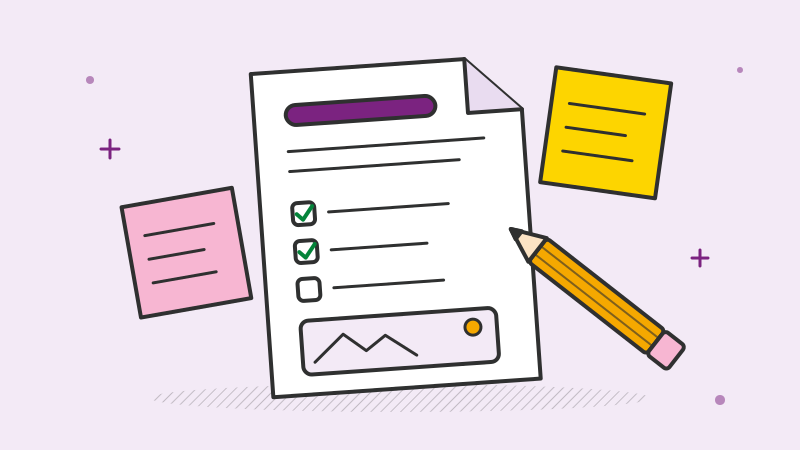
A useful exercise is to sketch the journey screen by screen before any development starts. Paper or a simple wireframe tool is enough. You will often find steps you can merge or remove, and gaps you had not noticed. If you want help with this stage, our UI/UX design work usually starts here.
Cut scope deliberately
Cutting scope is easier when you have rules for it. These are the ones we find most useful:
- Do it manually first. If an admin can approve accounts by hand for the first hundred users, you do not need an automated approval workflow yet.
- Use existing services. Payments, email, authentication and file storage are solved problems. Use a well-known provider instead of building your own.
- One user type at a time. Marketplaces are the classic trap. If you need both buyers and sellers, consider onboarding one side manually while you build the experience for the other.
- One platform at a time. More on this below.
- No settings pages for things nobody has asked to change.
- Integrations only where the journey breaks without them. A CSV export often covers what a full integration would do in the first months.
Keep a “not now” list rather than deleting ideas. People let go of features more easily when they can see they have been written down for later.
Web or mobile first?
This decision affects cost and timeline more than almost any other, so make it based on how users will actually behave.
Start with a web application if:
- Users will mostly work at a desk, or in longer sessions
- The product involves forms, dashboards, reports or document handling
- You want to change things quickly without waiting for app store reviews
- Your users are businesses, and you need to sell to them before they install anything
Start with a mobile app if:
- The core journey needs the camera, location, push notifications or offline use
- Users will open it many times a day for short tasks
- Your competitors are app-only and users expect to find you in the store
A responsive web app that works well on phones is often the right first step, even for products that will eventually be mobile-first. It lets you test the journey before committing to native development. If you do need an app from day one, a cross-platform approach that covers iOS and Android from one codebase usually suits an MVP. Our pages on web application development and mobile app development go into the options in more detail.
What “minimum” must still include
Some things look optional in an MVP but cause real damage if you skip them. Keep these in, even when the budget is tight:
- Security basics. Proper authentication, encrypted connections, sensible password handling, role checks on every request and regular backups. A data breach in your first months can end the product before you learn anything.
- Analytics on the core journey. You built the MVP to answer a question. Without event tracking at each step, you will only have opinions. Decide which events matter before launch, not after.
- A basic admin area. Someone will need to look up a user, reset access, correct a record or switch off an account. A plain internal screen saves many hours of database queries and support emails.
- Error logging and monitoring. You need to know when something breaks before your users tell you.
- Legal and privacy essentials. Terms, a privacy policy, cookie consent where it applies, and the ability to delete a user’s data on request.
- A clean codebase. Moving fast does not mean writing code you will have to throw away. A sensible structure, automated deployment and some tests on the core journey make v1.1 much cheaper.
None of these need to be elaborate. They need to exist.
Signs your MVP is too big
Review your plan against these warning signs:
- The first release will take longer than three or four months to build
- You have more than one main user journey
- You are designing for edge cases that may never happen
- There are features in scope “because competitors have them”
- You are building a mobile app, a web app and an admin panel with equal polish
- The feature list includes reporting, notifications and settings before anyone has used the core feature
- You cannot explain what you will measure after launch
If several of these apply, go back to your one question and remove anything that does not help answer it.
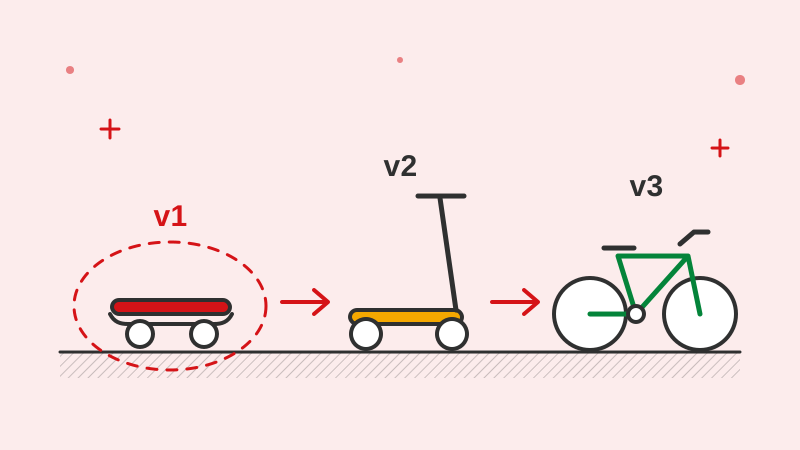
Plan v1.1 before you launch v1
Leaving things out is easier when there is a clear plan for what comes next. Before launch, agree on:
- What you will measure in the first four to eight weeks, and what result would make you continue, change direction or stop
- The top few items from your “not now” list, ranked, so the team can move straight on to them if the results are good
- A budget and time reserved for fixes and small improvements based on early feedback, because there will be some
- Who talks to users, how often, and how their feedback reaches the development team
Treat v1.1 as a response to what you learn, not a list of features you already decided on. Some items on your list will turn out to be unnecessary; others will appear that nobody predicted.
If you are deciding how to contract the build, our post on fixed price vs time and materials explains which model suits a defined MVP and which suits the iteration that follows. And if you are about to brief a development partner, our guide on how to write a software project brief will help you get a more accurate estimate.
How we approach MVPs
At Dotqode, we have been building products for clients abroad since 2018, and MVPs are one of the most common starting points. We usually run them as an end-to-end project, with one project manager accountable for delivery and a demo at the end of every sprint, so you see the product taking shape and can adjust scope early. You own all of the source code from day one.
Ready to scope your MVP?
If you have an idea and want help deciding what to build first, get in touch. We will sign an NDA before any detailed discussion, then help you find the smallest version worth launching.